Authorization in Microservices#
When developing a monolithic application, managing authorization and permissions is a bit easier since you have a single point of control for all authorization and permissions. However, with the rise of microservices, this task becomes more complex.
In a microservices architecture, each service typically has its own database and logic for handling permissions. This can lead to duplication and inconsistency in how permissions are managed across services. Additionally, sharing permissions between services can become problematic.
One way to solve this issue is by using Authorization-as-a-Service 🔐. This approach involves creating a separate service dedicated to managing all authorization for the various services within your architecture. This centralizes control, ensuring consistency and simplifying the management of permissions across your microservices. 🌐
Proof of Concept (POC) 🚀#
Today, I’ll do a quick proof of concept (POC) to explore authorization management. I’ll use an open-source solution that provides this functionality.
There are plenty of options available.
Some Open-Source Solutions 🛠️#
- permify
- openfga
- casbin
- topaz
Cloud Solutions ☁️#
- There are good cloud solutions like Permit.io
For today’s POC, I’ll be using Permify. ✅

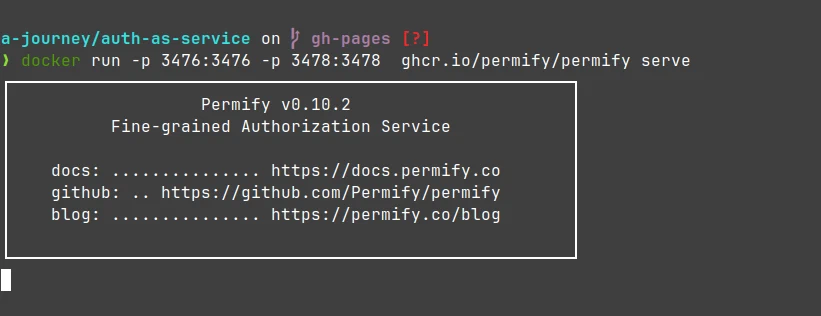
- Run the Permify service on Docker and expose HTTP and gRPC ports.
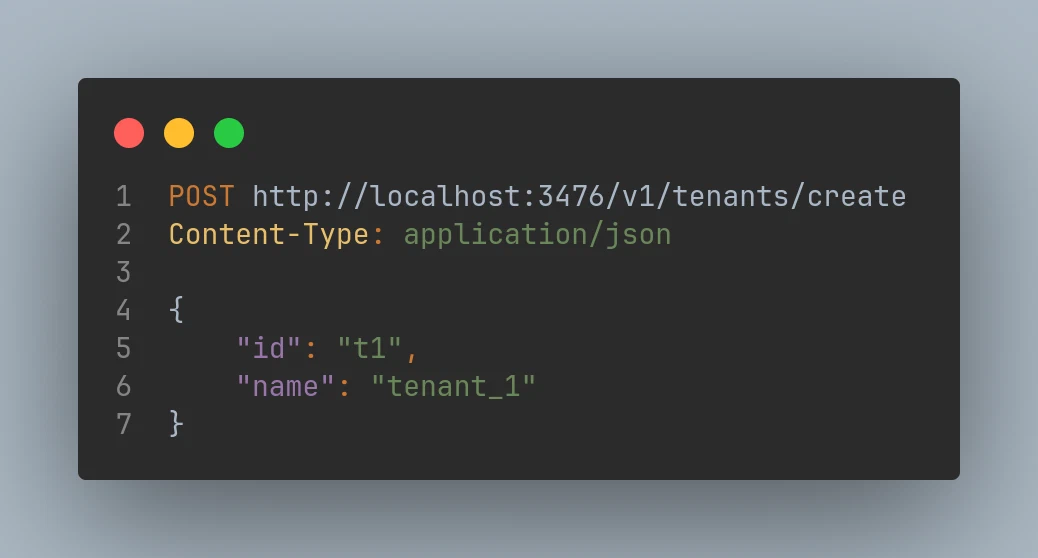
- Created a new tenant in Permify to store our policies.
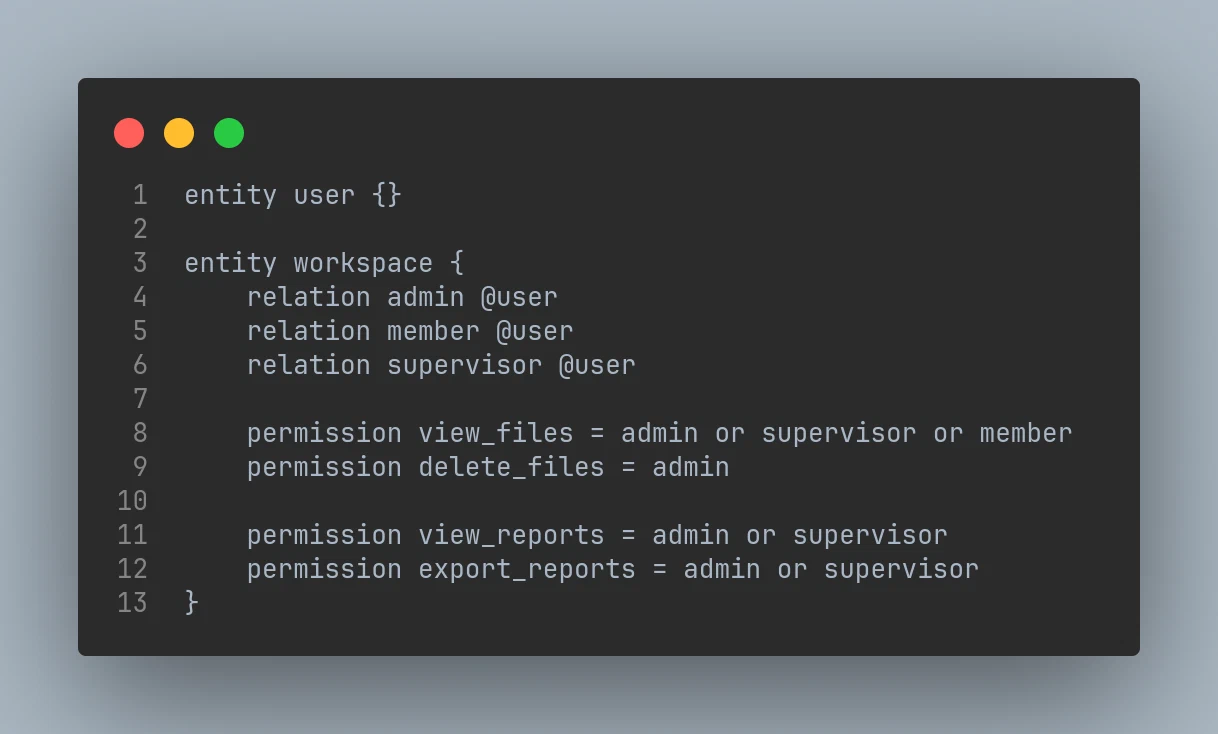
- Created our schema, using the traditional RBAC model for simplicity 🔧. However, in real-world complex applications, there are many models designed to handle complex use cases.
In fact, Permify is considered a fine-grained access control service, inspired by Google’s Zanzibar. 🌐 This allows for more detailed and flexible permission management, making it suitable for more complex scenarios.
Permify has a great article about their solution Here
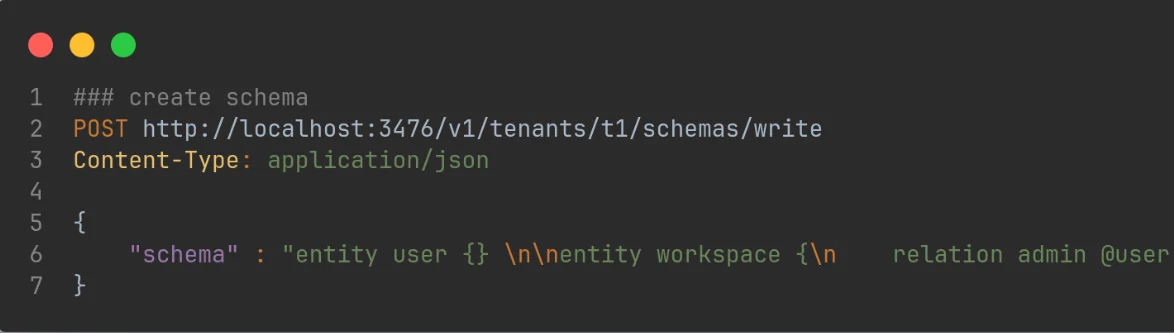
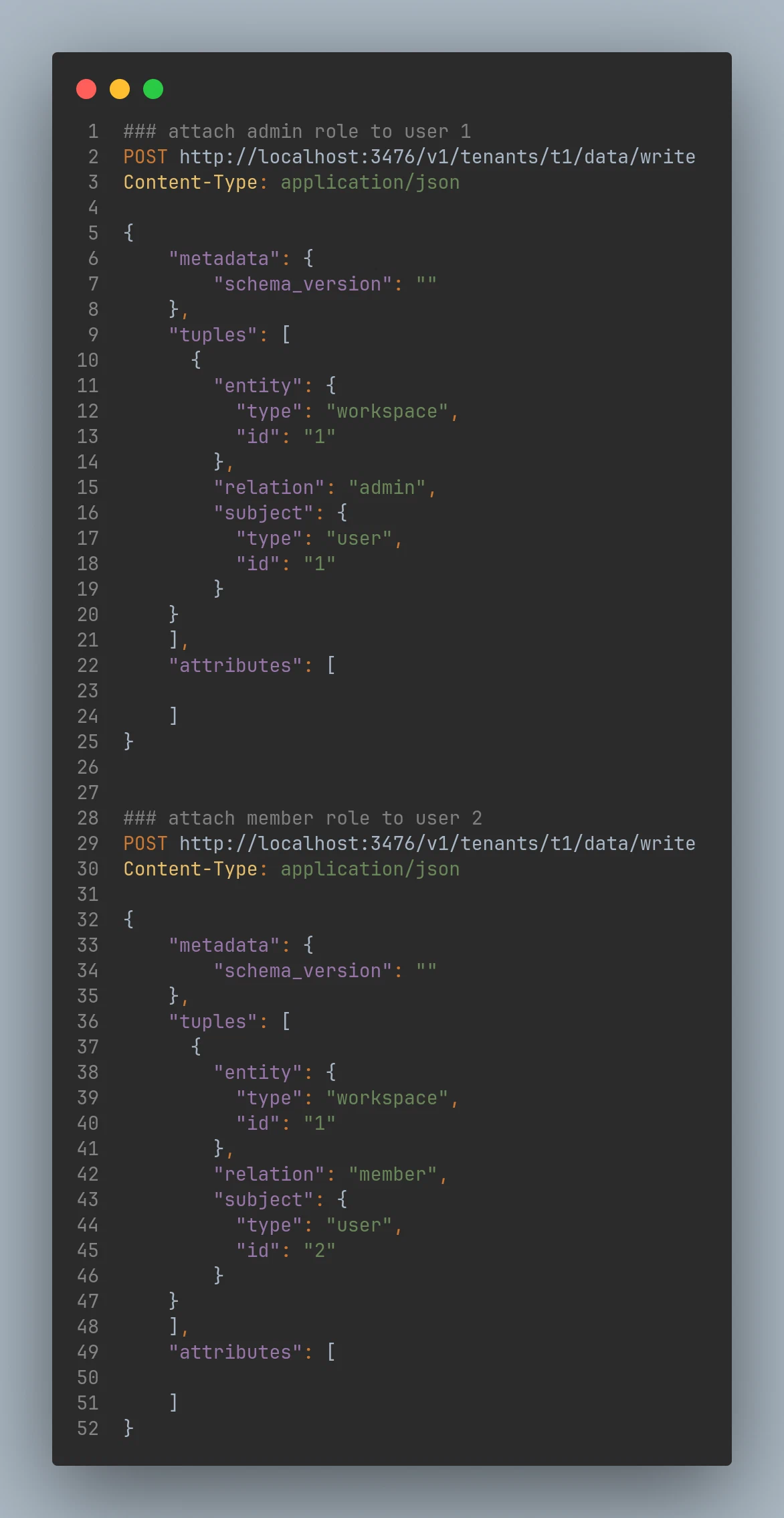
- Attached roles to our users.
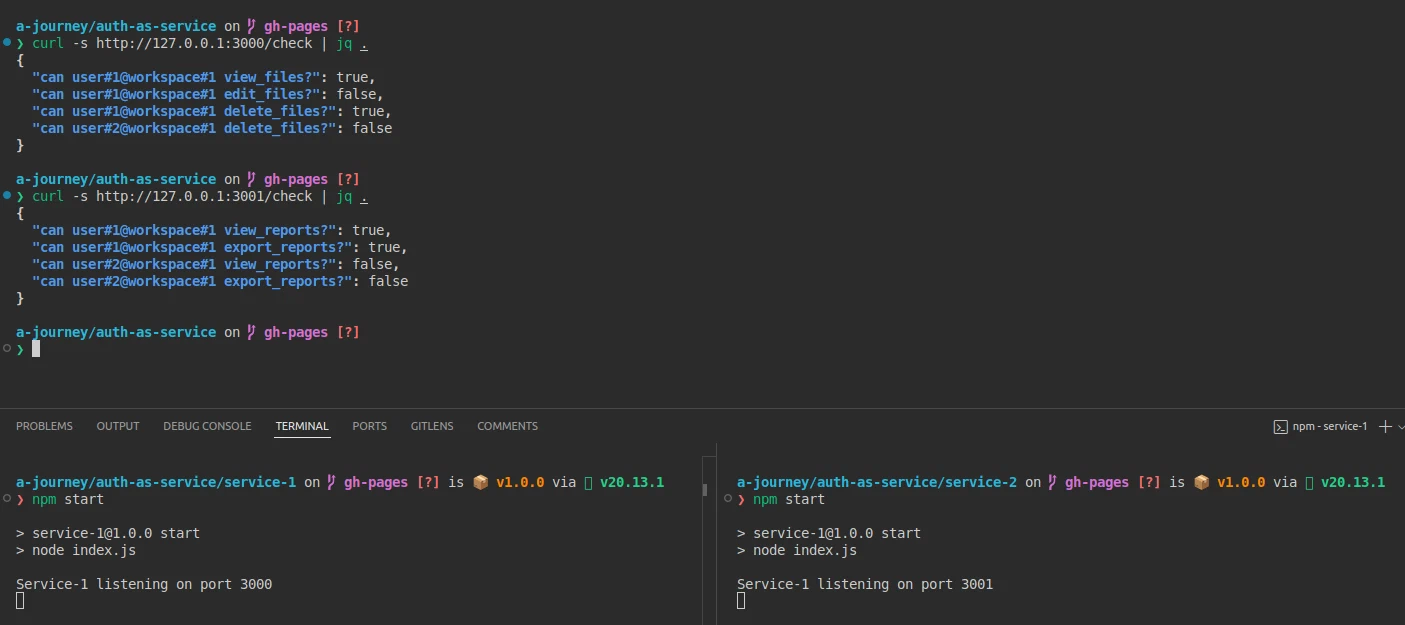
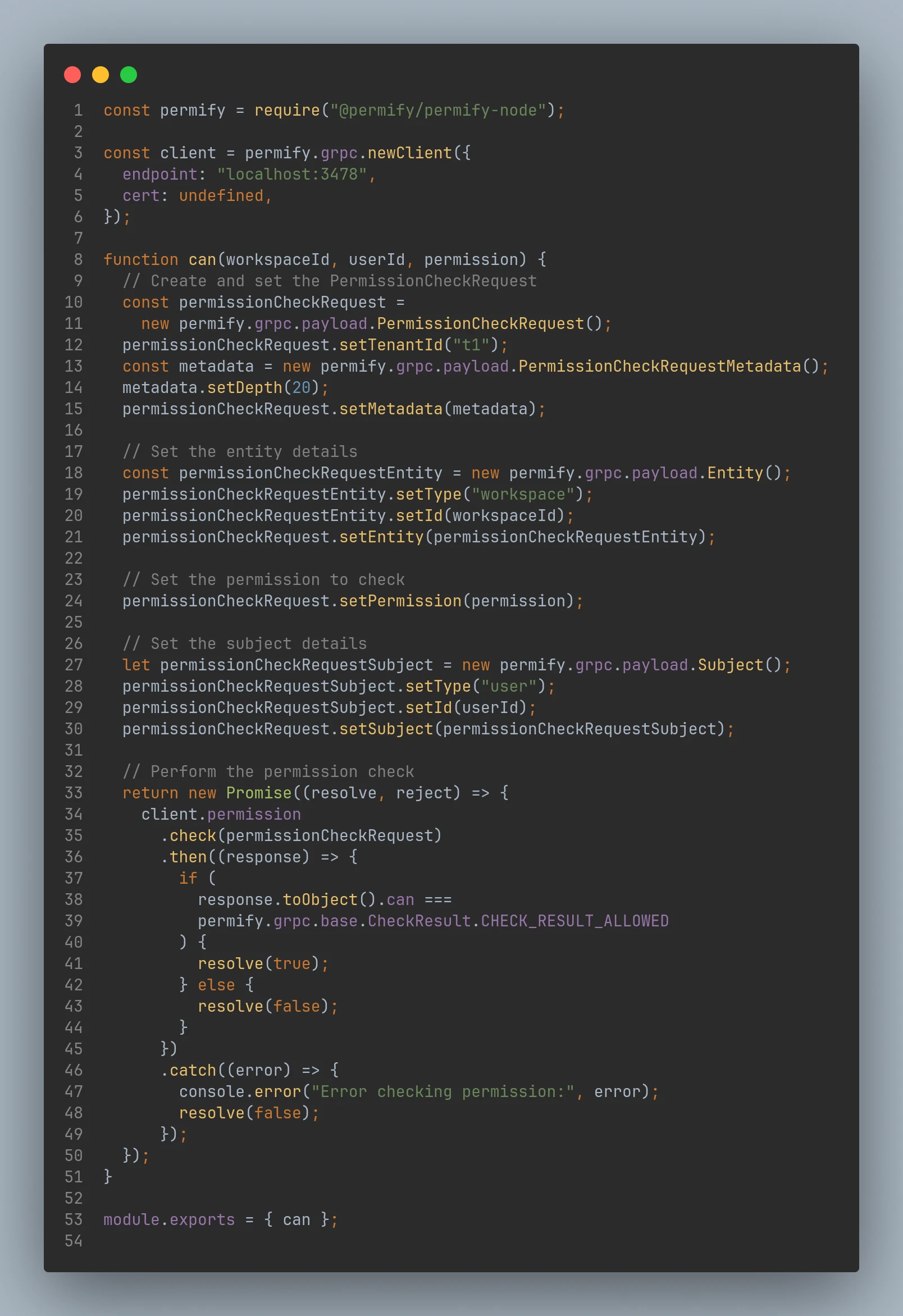
- Created simple Node.js services to check user permissions using gRPC via the Permify SDK.
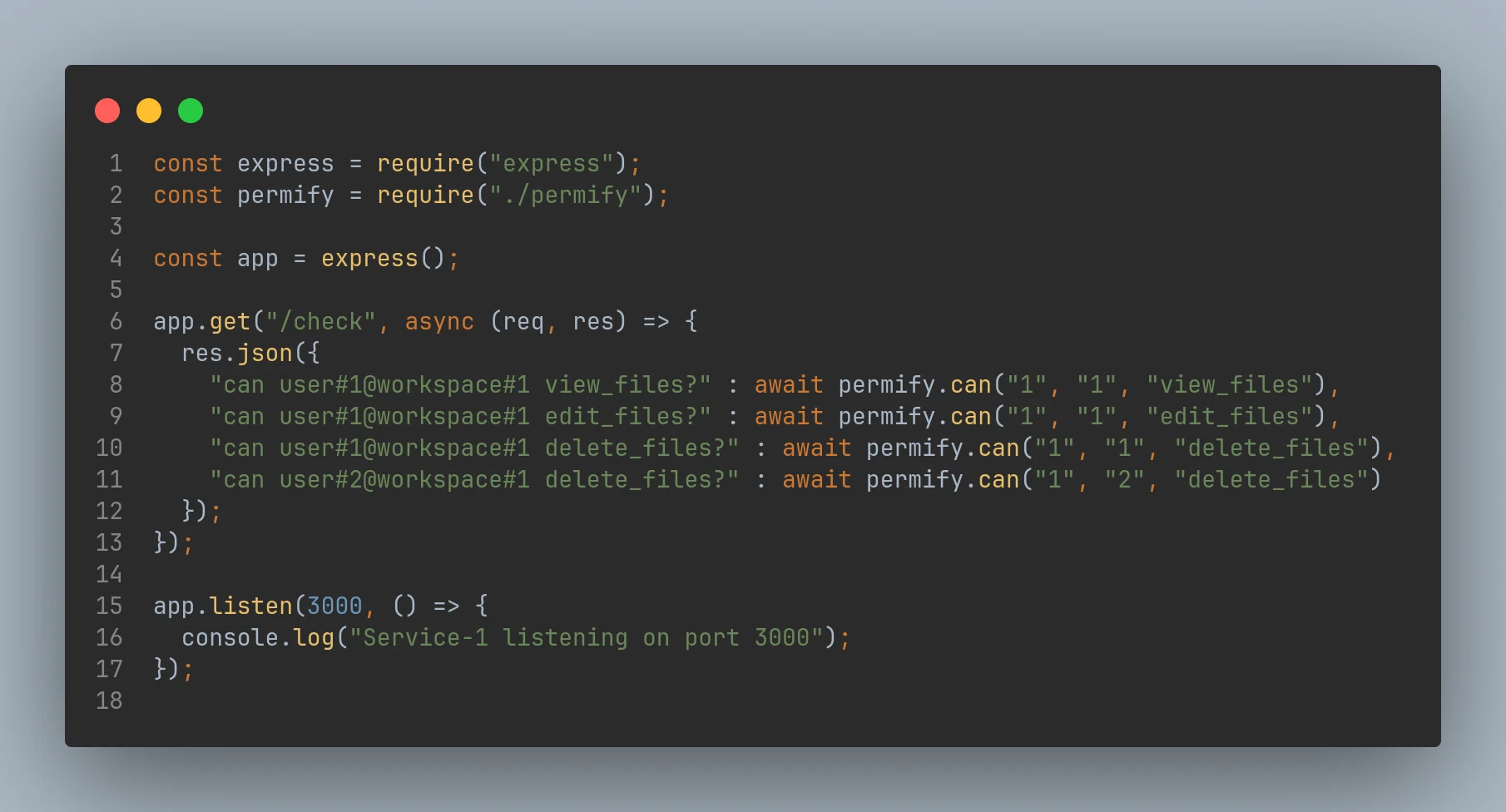
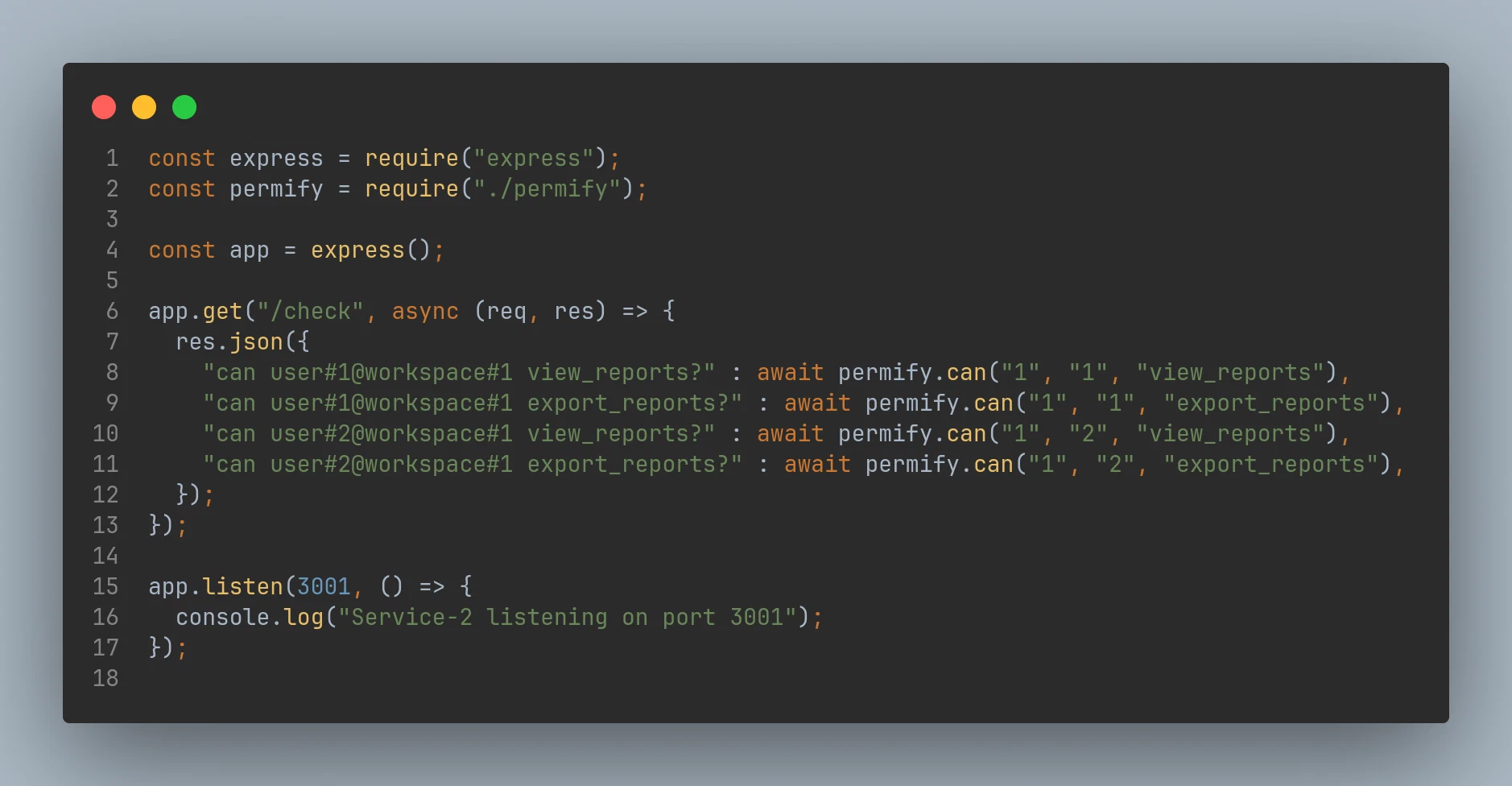
- Created a wrapper to check user permissions.
- Final Test